Categories
Command Line Fedora

The GNOME Terminal: A Comprehensive Guide

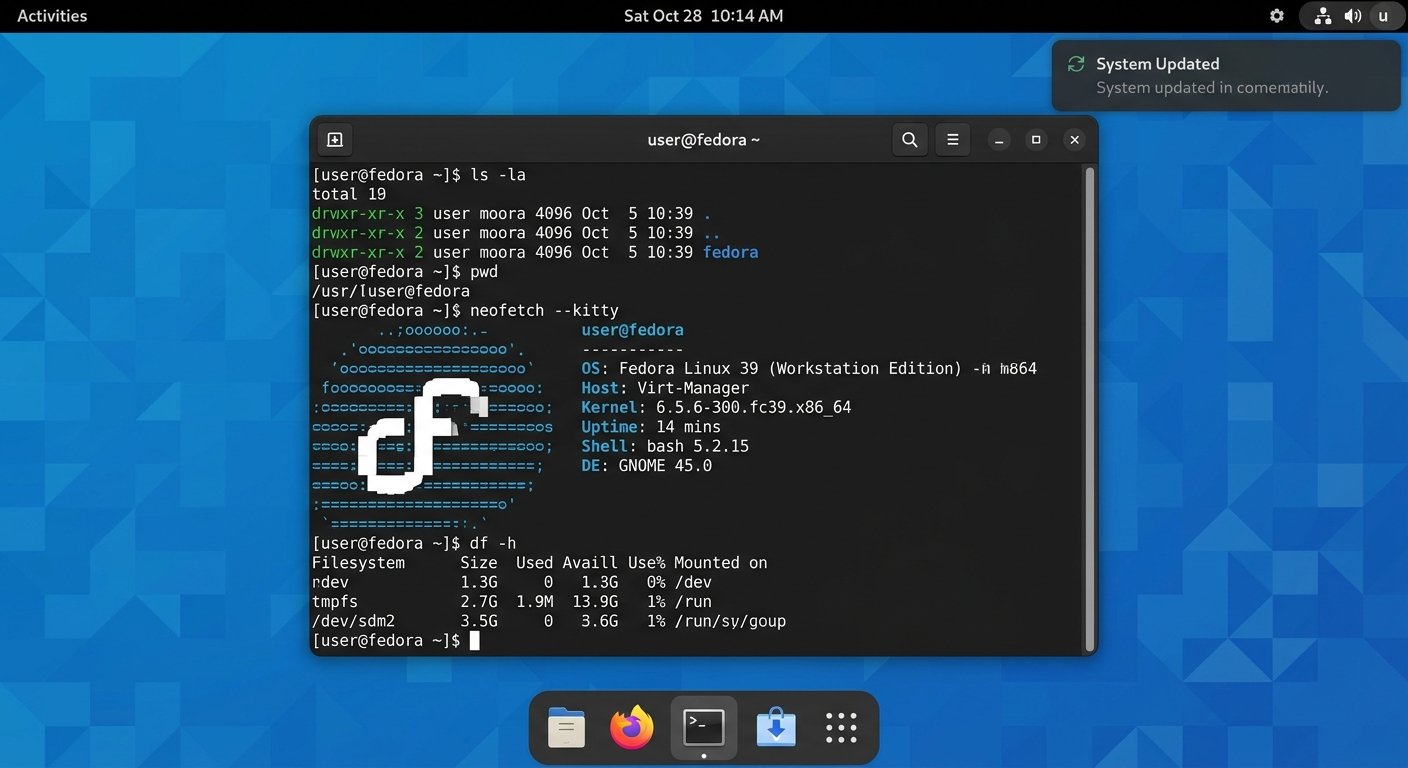
The visual interface of modern Linux distributions, such as Fedora or Ubuntu, often provides an inviting and intuitive environment for users. However, for those seeking the true power and efficiency of the operating system, the GNOME Terminal is an indispensable tool. A terminal emulator, as the name suggests, emulates the historical physical terminal, providing a graphical window into the command line interface (CLI). This allows users to execute instructions directly to the shell, the core interpreter of the operating system. This essay will explore the GNOME Terminal, detailing how to open, close, and utilize it effectively for common Linux commands.

Categories
Internet

GNOME Desktop Environment

The GNOME desktop environment stands as one of the most prominent, cohesive, and intentional user interfaces in the open-source Linux world. Designed around clarity, minimalism, and focus, GNOME rejects the classic desktop paradigm—icons scattered across a wallpaper, taskbars packed with launcher buttons, and complex drop-down start menus. Instead, it introduces an opinionated workflow that streamlines user interaction and reduces visual clutter.

Categories
Fedora Internet Websites

About the Evolution Email Client

The evolution of desktop software on Linux has been closely tied to the growth of the GNOME Desktop Environment. At the heart of GNOME’s productivity stack is Evolution (originally known as Ximian Evolution), a comprehensive Personal Information Manager (PIM) that integrates email, contacts, calendars, task lists, and note-taking into a single ecosystem.

Categories
Command Line Programming

Decoding Text: A Beginner’s Guide to Regular Expressions in the Linux Command Line

For anyone diving into the Linux command line, text is currency. Whether you are inspecting system logs, parsing configuration files, or filtering massive datasets, you spend a significant amount of time searching through text. While standard string searches work for exact matches, they quickly fall short when you need to find patterns—such as any valid email address, a specific log error code format, or lines starting with a particular word.

This is where Regular Expressions (often shortened to regex) come into play. A regular expression is a sequence of characters that defines a search pattern. When combined with powerful Linux command-line utilities like grep, sed, and awk, regex transforms from a cryptic set of symbols into an indispensable superpower for system administrators and developers alike.

Categories
Internet Programming Websites

The Engines of the Modern Mind: Data Centers, Artificial Intelligence, and the Global Resource Crunch

Introduction

In the digital era, the intangible cloud where our photos, emails, and applications reside is physical, heavy, and immense. At the heart of this digital infrastructure are data centers—vast, windowless warehouses packed with servers, routers, and cooling systems that keep the modern world online. While these facilities have hummed quietly in the background for decades, the explosive rise of generative artificial intelligence (AI) has thrust them into the global spotlight. AI requires a staggering amount of computational might, turning data centers into the new battlegrounds of technological supremacy, environmental debate, and energy innovation.