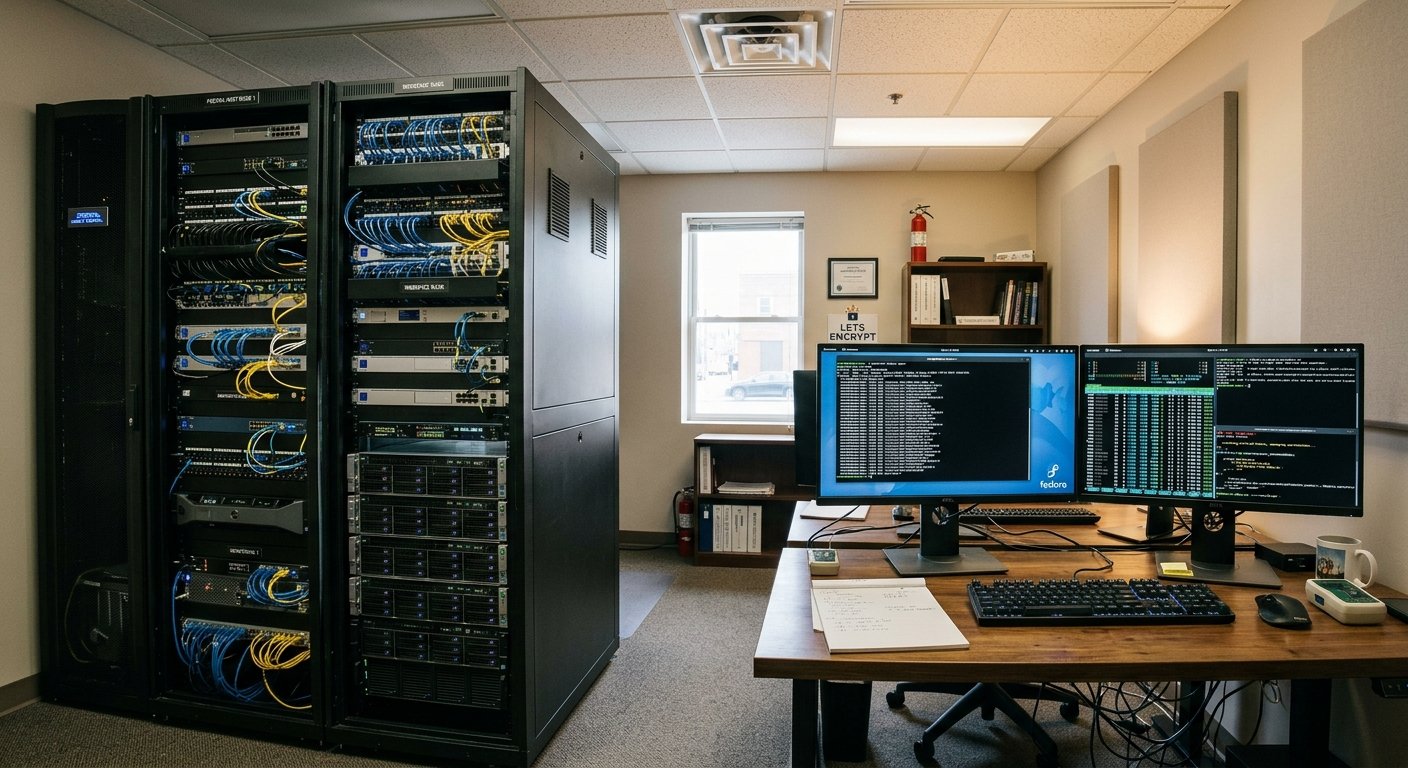
Building a web hosting business from the ground up by acquiring hardware, renting commercial office or rack space, and self-managing system software is a major undertaking. It transitions an enterprise from a mere reseller of cloud services into a true infrastructure operator. Operating bare-metal servers demands a rigorous synthesis of capital investment, facility management, system administration expertise, and precise technical execution.
Physical Infrastructure, Hardware, and Facilities
Starting an on-premise or co-located web hosting company requires establishing a resilient environment capable of delivering high availability ($99.9\%+$ uptime).
- Commercial Office or Data Center Space: Renting space requires evaluating power availability, floor load-bearing capacity, cooling systems, and physical security. For serious operations, renting space within a carrier-neutral co-location facility or building an office server room with dedicated HVAC cooling is non-negotiable.
- Server Hardware: Instead of consumer desktops, enterprise rackmount servers (such as 1U or 2U chassis) equipped with multi-core server CPUs (e.g., AMD EPYC or Intel Xeon), ECC (Error-Correcting Code) RAM, and enterprise NVMe SSDs in RAID configurations ensure hardware fault tolerance.
- Power Redundancy: Continuous operation requires Uninterruptible Power Supplies (UPS) paired with backup diesel generator systems to maintain server state during grid outages.
- Network Connectivity: A residential connection will not suffice. Hosting providers require dedicated enterprise fiber connections with static IPv4 blocks and IPv6 allocations, ideally peered with multiple upstream ISPs via BGP (Border Gateway Protocol) for network redundancy.
The Operating System Foundation: Fedora Server
Choosing an operating system for host nodes dictates performance, stability, and software availability. Fedora Server serves as an exceptional upstream enterprise platform, providing modern Linux kernel features, system software packages, and security mitigations.
                  +-----------------------------------+
                  |        Hardware Infrastructure    |
                  | (Dell PowerEdge / HPE ProLiant)   |
                  +-----------------------------------+
                                    |
                  +-----------------------------------+
                  |           Fedora Server           |
                  |     (Linux Kernel, SELinux)       |
                  +-----------------------------------+
                                    |
          +-------------------------+-------------------------+
          |                                                   |
+-------------------+                               +-------------------+
|  Nginx Web Server |                               |   MariaDB / MySQL |
| (Reverse Proxy)   |                               | (Database Server) |
+-------------------+                               +-------------------+
          |                                                   |
+-----------------------------------------------------------------------+
|                       Client Virtual Hosts                            |
|             (/var/www/client1  |  /var/www/client2)                   |
+-----------------------------------------------------------------------+
Fedora Server integrates modern tools like Cockpit for web-based system administration, DNF for package management, and system-level security protections by default.
Core Linux Command-Line Skills
Managing web hosting environments requires fluency in the Linux command-line interface (CLI). Crucial CLI competencies include:
- Package & Service Management: Utilizing
dnfto install, update, and secure software packages, alongsidesystemctlto control background daemons (e.g.,systemctl enable --now nginx). - File System Administration & Permissions: Managing POSIX file permissions (
chmod,chown) to enforce absolute boundary separation between hosted client environments, ensuring one tenant cannot access another tenant’s file root. - Process & Performance Monitoring: Navigating utilities like
htop,iotop, andvmstatto identify resource hogs, high CPU loads, or memory leaks before they affect neighbor performance. - Network & Firewall Configuration: Configuring
firewalldusingfirewall-cmdto strictly expose necessary public ports (80 for HTTP, 443 for HTTPS, 22 for SSH) while locking down administrative interfaces.
Security Hardening with SELinux
Fedora Server runs SELinux (Security-Enhanced Linux) in enforcing mode by default. SELinux provides mandatory access controls (MAC) that limit what web server processes (like Apache or Nginx) can access on the file system, preventing compromise even if a client’s web application contains vulnerabilities. Administrators must master context management tools such as semanage fcontext and restorecon to assign correct web context labels (httpd_sys_content_t).
Automating Operations with Shell Scripting
Manual administration does not scale across dozens or hundreds of tenant environments. Shell scripting (specifically Bash) is essential for automating daily tasks:
- Automated Tenant Provisioning: Writing Bash scripts to automate client onboarding—creating unprivileged system users, generating document root directories under
/var/www/vhosts/, establishing database access, and writing virtual host files. - Scheduled Backups & Maintenance: Crafting custom scripts integrated with
cronorsystemd.timerunits to perform daily compressed database dumps, file system snapshots, and off-site rsync backups to remote storage nodes. - Log Rotation & Parsing: Scripting log analysis jobs to monitor access and error logs for malicious access patterns, abusive traffic, or brute-force attacks.
Bash
#!/usr/bin/env bash
# Example Provisioning Script Snippet for Client Webspace
CLIENT_NAME="$1"
DOMAIN="$2"

if [ -z "$CLIENT_NAME" ] || [ -z "$DOMAIN" ]; then
    echo "Usage: $0 <client_name> <domain>"
    exit 1
fi

WEB_ROOT="/var/www/vhosts/${DOMAIN}/public_html"

mkdir -p "$WEB_ROOT"
useradd -m -s /sbin/nologin "$CLIENT_NAME"
chown -R "${CLIENT_NAME}:${CLIENT_NAME}" "/var/www/vhosts/${DOMAIN}"
chmod 755 "$WEB_ROOT"
semanage fcontext -a -t httpd_sys_content_t "/var/www/vhosts/${DOMAIN}(/.*)?"
restorecon -R "/var/www/vhosts/${DOMAIN}"

echo "Webspace for ${DOMAIN} provisioned successfully."
Web Server Architecture & Multi-Tenancy
To host multiple client websites on a single Fedora host node, system administrators use web server software such as Nginx or Apache HTTP Server.
- Virtual Hosts / Server Blocks: Nginx uses
serverblocks, and Apache uses<VirtualHost>containers. These directives map inbound HTTPHostrequest headers to specific web directories on disk. - Resource Isolation & Quotas: Implementing Linux control groups (cgroups) or container virtualization (Podman / KVM) to place hard limits on RAM, CPU usage, and storage quotas per client, preventing a single site from overwhelming host resources.
- Automated SSL/TLS Encryption: Utilizing Certbot alongside Let’s Encrypt to issue free, automatically renewed SSL/TLS certificates for every hosted client domain.
Essential Technical Knowledge Matrix
| Core Skill Area | System Utility / Technology | Operational Objective |
| Operating System | Fedora Server | Core server OS installation, baseline maintenance, system updates. |
| Web Server | Nginx / Apache | Virtual hosting, reverse proxying, SSL termination. |
| Security & Firewall | firewalld & SELinux | Packet filtering, process isolation, access control enforcement. |
| Automation | Bash / Ansible | System provisioning, configuration management, automated tasks. |
| Database Management | MariaDB / PostgreSQL | Relational database hosting, user permissions, automated dumps. |
| DNS Management | BIND9 / Cloudflare | Managing authoritative nameservers, A/AAAA records, and MX routing. |
Sources & Reference List
- Fedora Project Server Documentation – Official installation, configuration, and administration guides for Fedora Server.
- Nginx Web Server Documentation – Comprehensive manual on Nginx architecture, HTTP modules, and server block configurations.
- Apache HTTP Server Project – Official documentation for Apache virtual host configuration and module execution.
- SELinux Project Wiki – In-depth technical reference for Security-Enhanced Linux security controls and policy rules.
- GNU Bash Manual – Comprehensive manual for command-line syntax, POSIX compatibility, and shell scripting.
- Cockpit Project Documentation – Web-based graphical administration interface standard on Fedora Server builds.
- Certbot & Let’s Encrypt Documentation – Operational workflows for automating TLS certificate issuance and renewal.